Custom Wallpaper Slideshow1.4.0
Publisher Description
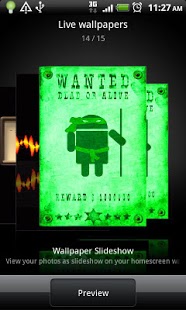
Wallpaper Slideshow
View your photos as slideshow on your homescreen wallpaper at a defined interval
Wallpaper Slideshow is a live wallpaper. Live wallpapers do not normally contain a launcher icon. To set a live wallpaper as your home screen background, perform the following steps:
Step 1: press "Setting",set wallpaper folder,slideshow
time,etc
Step 2: From Home Screen, press "Menu"
Step 3: Press "Wallpaper", then press "Live Wallpapers"
Step 4: Select the Live Wallpaper of choice
Step 5: Press "Set wallpaper"
To open the wallpaper chooser now, press Set wallpaper
• Graphical album chooser
• Durations from 5 seconds to 1 day
• Wallpaper scrolling
• Sequential or Random playback
• Rotate images to match screen orientation
• Very low CPU usage (<1%)
Please help rate and share if you like it!
About Custom Wallpaper Slideshow
The company that develops Custom Wallpaper Slideshow is Topnet999. The latest version released by its developer is 1.4.0. This app was rated by 1 users of our site and has an average rating of 3.0.
To install Custom Wallpaper Slideshow on your Android device, just click the green Continue To App button above to start the installation process. The app is listed on our website since 2011-10-18 and was downloaded 46 times. We have already checked if the download link is safe, however for your own protection we recommend that you scan the downloaded app with your antivirus. Your antivirus may detect the Custom Wallpaper Slideshow as malware as malware if the download link to com.topnet999.android.wallpaperslideshow is broken.
How to install Custom Wallpaper Slideshow on your Android device:
- Click on the Continue To App button on our website. This will redirect you to Google Play.
- Once the Custom Wallpaper Slideshow is shown in the Google Play listing of your Android device, you can start its download and installation. Tap on the Install button located below the search bar and to the right of the app icon.
- A pop-up window with the permissions required by Custom Wallpaper Slideshow will be shown. Click on Accept to continue the process.
- Custom Wallpaper Slideshow will be downloaded onto your device, displaying a progress. Once the download completes, the installation will start and you'll get a notification after the installation is finished.
Version History
version 1.4.0
posted on 2011-10-18
version 1.4.0
posted on 2011-10-18
Several fixes and updates
